
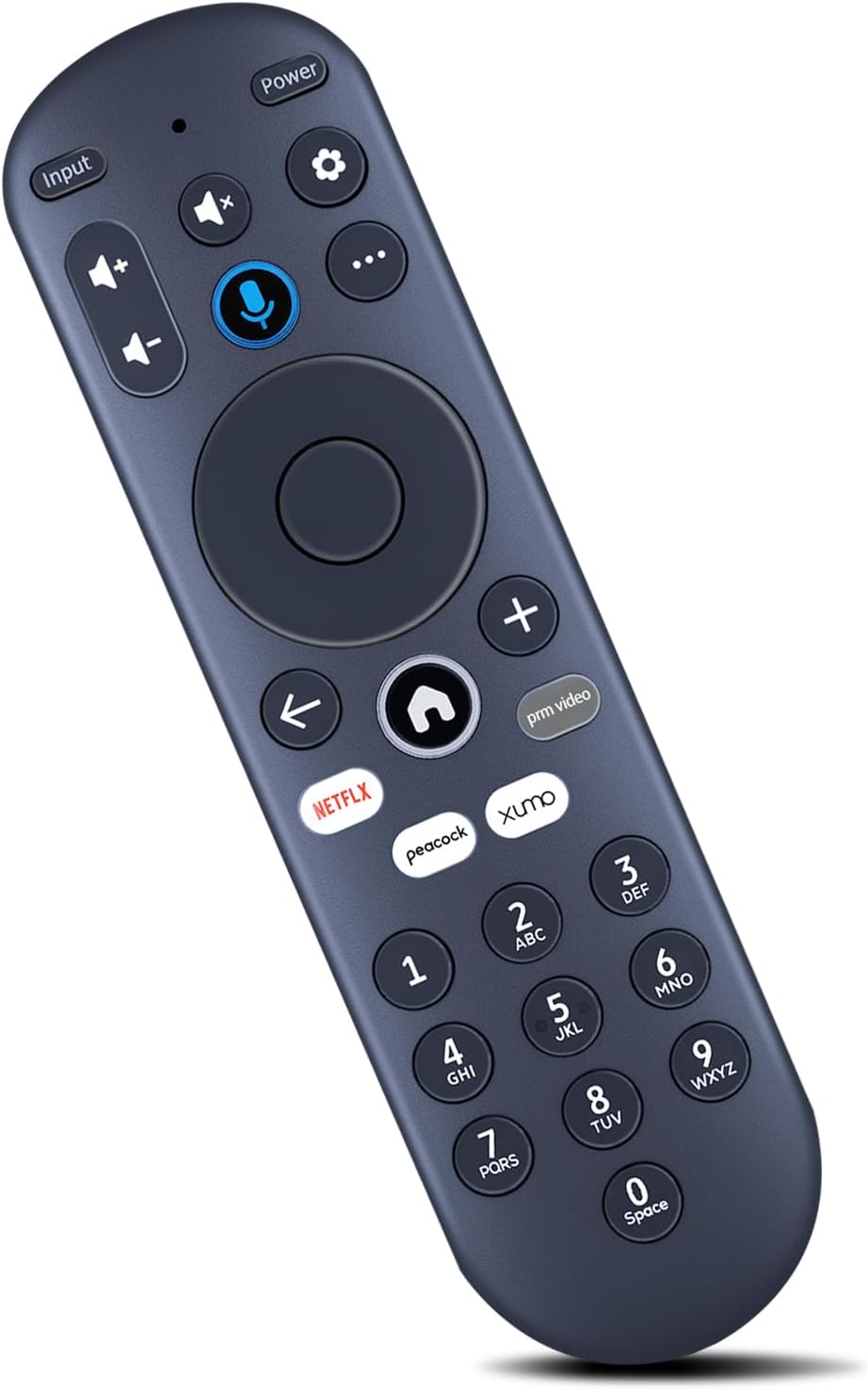
ZWP Replacement Voice Remote Control for Xumo Smart TV, Compatible for Element 4K UHD HDR Xumo TV E500AC43C E500AC50C E500AC55C E500AC65C E500AE98C E300AE24C E550AE55C E550AE75C E550AE86C
€10.80
Preis bei Onlinekauf
Kostenloser Versand
30 Tage kostenlose Rückgabe
Verkauft und versendet von firecrackerkaraoke.com.au
Wir bemühen uns, Ihnen genaue Produktinformationen anzuzeigen. Hersteller, Lieferanten und andere stellen die hier gezeigten Angaben bereit.
€10.80
Preis bei Onlinekauf
Kostenloser Versand
30 Tage kostenlose Rückgabe
Verkauft und versendet von firecrackerkaraoke.com.au
30 Tage kostenlose Rückgabe Details
Produktdetails
| Artikelnummer | 226092535 | Erscheinungsdatum | 2026/05/09 | Listenpreis | €10.80 | Modellnummer | 226092535 | ||
|---|---|---|---|---|---|---|---|---|---|
| Kategorie | |||||||||
- Compatible With Xumo TV Stream Box SCXI11BEI,Compatible With Element Xumo TV, Including MODEL: 43" 50" 55" 65" 98" 4K UHD HDR TV E500AC43C E500AC50C E500AC55C E500AC65C E500AE98C,24" 32" 720P HD TV E300AE24C E300AE32C,40" 1080P FHD TV E300AE40C,43" 50" 55" 65" 75" 86" 4K UHD HDR FRAMELESS TV E550AE43C E550AE50C E550AE55C E550AE65C E550AE75C E550AE86C
- 【 Pairing your remote to an existing Xumo TV】:Before using your remote, you'll need to pair it with your TV. If you put batteries in your remote within 15 minutes of plugging in your TV for the first time, your remote will automatically pair to your TV. If unpaired, please follow the below instructions: Step 1, Press the Setting Button. Step 2, Select Remote > Pair your remote to your TV. Step 3, Follow the on-screen instructions. Step 4, If pairing fails, turn off your TV and unplug from the power source. Plug TV back in, power on, and try steps 1-3 again.
- 【Pairing your remote to a sound system】:Step 1, Press the Setting Button. Step 2, Select Remote > Pair your remote and sound system. Step 3, Follow the on-screen instructions.
- 【How to reset your remote】:Step 1. Hold the "← "and "+" buttons for 3 seconds until the light at the top of the remote turns solid green. Step 2, Press 9, then 8, then 4 (the light will blink red a few times). Step 3, Hold the "←" and "+ " buttons for 3 seconds again. Step 4, Press 9, then 8, then 1. Step 5, Wait for the light at the top of the remote to flash red again. Step 6, With your remote control pointed towards your TV, try pressing the “Home” button then other keys to make sure your remote is working properly. Note: Voice control will not work until your remote is paired.
- 【Premium After-sale】:We provide a 1 year warranty return service. If you have any questions about your order, please feel free to contact us directly and we will get back to you within 12 hours.
| ASIN | B0FG7J1SWY |
|---|---|
| Brand | ZWP |
| Color | Black |
| Model Name | MG3-R34010 |
| Item Weight | 0.07 Kilograms |
| Manufacturer | ZWP |
| Model Number | MG3-R34010 |
| Maximum Range | 10 Meters |
| Button Quantity | 2 |
| Controller Type | Button Control |
| Country of Origin | China |
| Compatible Devices | Television |
| Additional Features | Voice Search |
| Warranty Description | 1 year |
| Connectivity Technology | Infrared |
| Item Dimensions L x W x H | 6.73"L x 0.79"W x 0.79"H |
| Maximum Number of Supported Devices | 10 |
Korrektur der Produktinformationen
Wenn Sie Unvollständigkeiten oder Fehler in den Produktinformationen auf dieser Seite bemerken, nutzen Sie bitte das Korrekturformular unten.
Korrekturanfrage